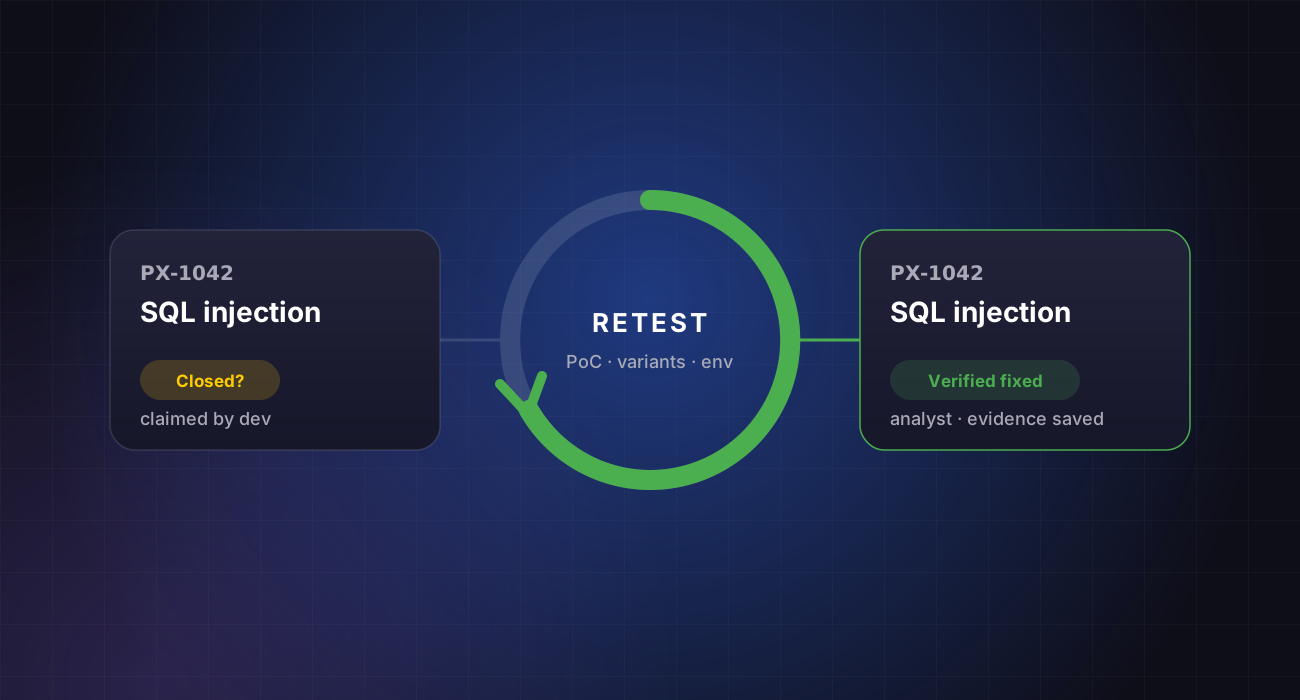
- A closed ticket is a claim; a successful retest is evidence.
- Fixes fail more often than teams expect: partial fixes, regressions and bypasses.
- Retest the original issue, its variants and the surrounding code path.
Every security team has seen it: a critical finding is marked “done” in the tracker, the report is filed, and months later the same issue turns up again. Closing a ticket is not the same as removing the risk.
This article covers why fixes fail, what a good retest checks, and how to make verified fixes part of your normal workflow.
Why fixes fail
The most common reasons are fixing one endpoint while the same flaw exists in three others, blocking the exact payload from the report rather than the class of input, deploying the fix to one environment but not another, and later changes that quietly reintroduce the bug.
What a proper retest covers
A retest replays the original proof of concept, then tries reasonable variants: different encodings, other parameters, other endpoints sharing the same code, and other roles. It confirms the fix is live in the environment that matters.
 PentestX in practiceFIND-0214 · /api/orders
Every fix in PentestX triggers a scoped retest, so “resolved” always means verified, with evidence attached. See how retesting works →
Keep the evidence
Record who retested, when, against which build, and what was tried. Before-and-after evidence turns a retest into something you can show a customer or auditor, not just a status change.
Make retesting routine
Retests should be quick to request and part of the plan, not a new contract. Tie them to your tracker so a fixed ticket automatically queues verification, and track time-to-verified-fix alongside time-to-fix.
Closed, verified, proven
Treat “fixed” as a hypothesis until a retest confirms it. That single habit removes a large share of repeat findings.
In PentestX, marking a finding fixed queues an analyst retest. The report updates automatically, and once criticals and highs are closed you receive a security certificate.